How to choose
The best apps for school and activity emails in 2026
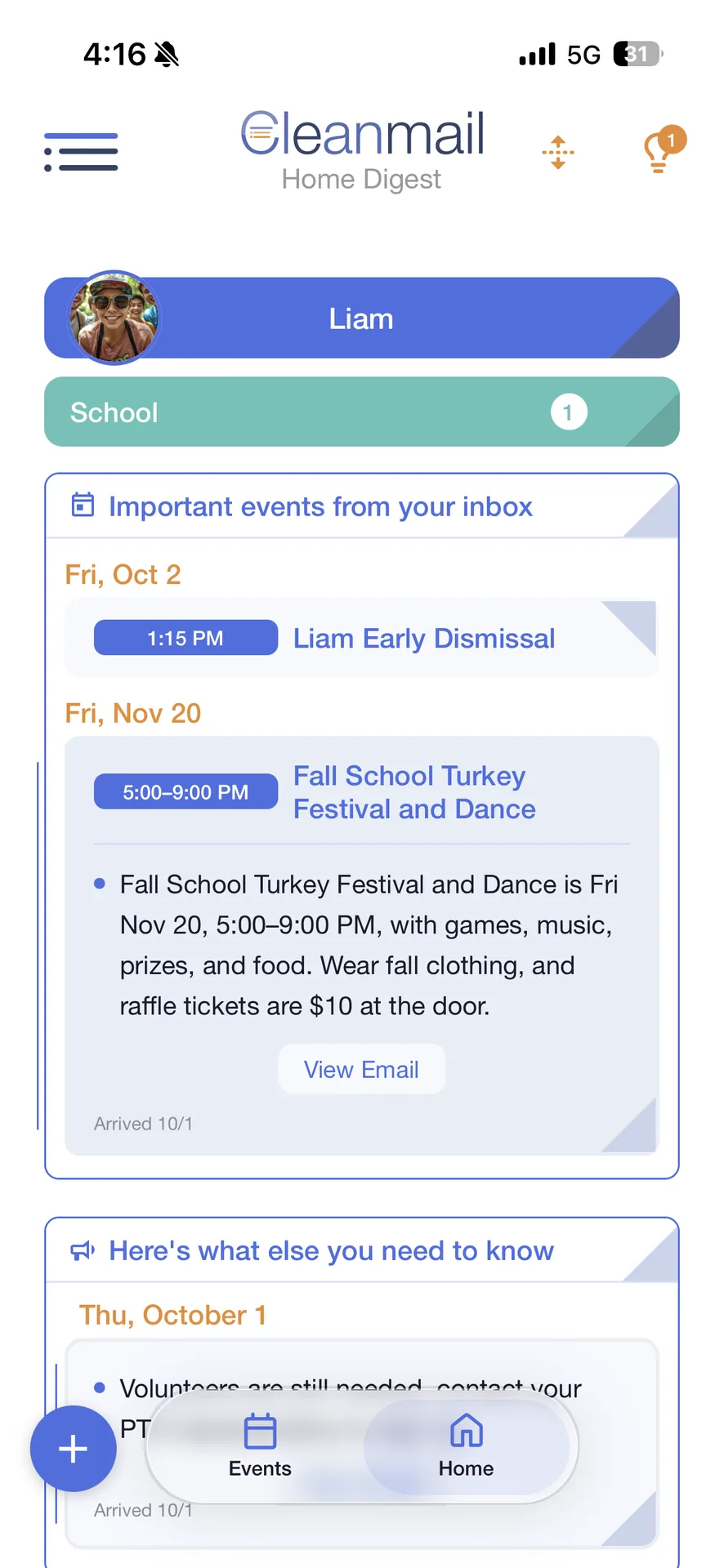
Pick an app that reads the school and activity senders you choose straight from your inbox and puts the dates on the calendar your household already checks. Then try it on a real week of email before you pay.
We make Cleanmail. It's listed with the others, on the same criteria, and marked "ours". Nothing here is ranked.
How to choose
- Inbox connection or forwardingdoes it read your email, or do you forward every message?
- Sorted by kidcan you see each child's week on its own?
- Your calendardoes it write to the calendar you already use, or ask you to switch?
- The whole householdcan the other parent see the same plan without forwarding?
- Read-onlycan it send, delete or change anything in your inbox?
- Price after the trialwhat does it cost once the free period ends?
The apps
We make Cleanmail. It's listed with the others, on the same criteria, and marked "ours". Nothing here is ranked.
 Cleanmail: Family InboxoursConnects to your inboxturns the school and activity senders you pick into one short digest sorted by kid.2 weeks free for new subscribers, then $6.99/mo or $68.99/yr.Renews automatically; cancel in App Store or Google Play settings. iPhone and Android.
Sources
- Cleanmail: Family Inbox. How dates reach your calendar: connects to Gmail (read-only); dates from emails, flyers and PDFs go on your Google Calendar; up to 4 people in the household share one plan. What it doesn't do: no chores, grocery lists or meal plans. Source: cleanmailapp.com/pricing, checked 11/23/2026
- HappyParent HQ. How dates reach your calendar: connects Gmail, Outlook, Apple Mail or IMAP, or by forwarding. Source: happyparenthq.com, checked 11/23/2026
- Leto. How dates reach your calendar: connects to Gmail (view-only), processes the senders you choose, adds events to the calendar you use. Source: helloleto.com/pricing and helloleto.com/for-parents, checked 11/23/2026
- NUET. How dates reach your calendar: connects your email; keeps your calendar in sync. Source: App Store listing (apps.apple.com/app/id6747891128), checked 11/23/2026
- SchoolMail: Parent Calendar. How dates reach your calendar: not stated on its App Store listing. Source: App Store listing (apps.apple.com/us/app/id6761088774), checked 11/23/2026
- Sense. How dates reach your calendar: you forward emails to Sense's address (or set an auto-forward rule); also takes photos, PDFs and WhatsApp messages. Source: getsense.ai, checked 11/23/2026
14 days free, then $6.99 a month or $68.99 a year. Renews automatically until you cancel.
Questions
Can I get school and activity emails onto my calendar without an app?
Yes. Gmail can show some events on Google Calendar, and a Gmail filter can label school and activity senders so they're in one place. It works for confirmations; most school newsletters still need someone to copy the dates.
Forwarding or inbox connection: which is better?
Forwarding means you never grant inbox access, but someone has to forward every email or set up auto-forward rules. A read-only inbox connection catches emails without anyone remembering to forward them.
What if both parents get the school and activity emails?
Pick an app where the household shares one plan, so you're not both copying the same dates.
Do these apps replace Cozi or Skylight?
Not always. Cozi and Skylight are family calendars; the apps above focus on getting school and activity email onto a calendar. Some families use both.
Want the feature-by-feature table? See Cleanmail vs Skylight vs Cozi
Leto, NUET, Sense, SchoolMail, HappyParent HQ, Cozi and Skylight are trademarks of their owners. Cleanmail is not affiliated with them. Prices and features as of November 23, 2026, from each app's own site or store page.