Flyer to calendar
Snap the flyer. Get the dates.
That flyer at the bottom of the backpack. A sign you saw at a coffee shop. Take a photo on Cleanmail's add-event screen, and Cleanmail reads it and adds the events.

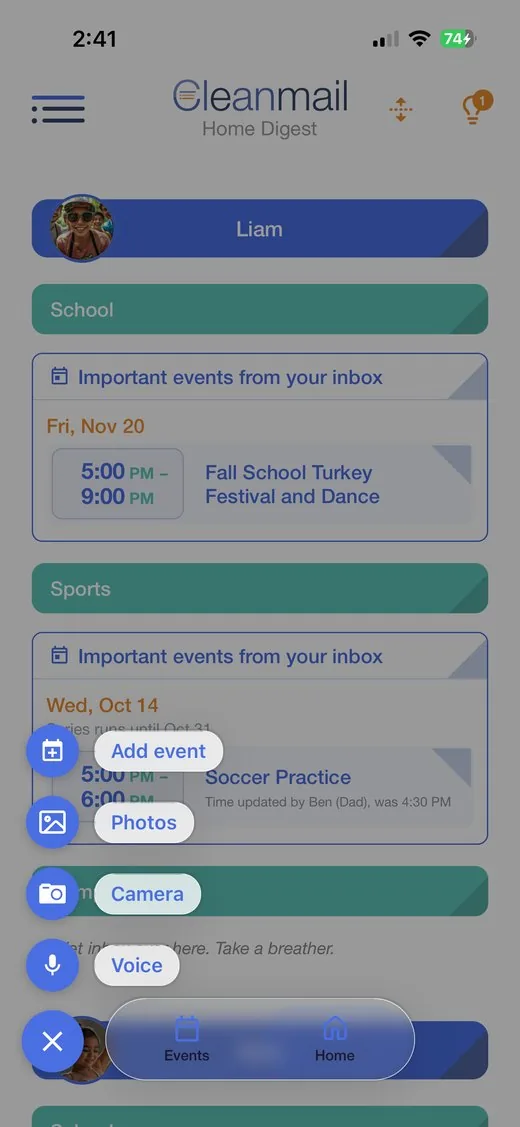
Camera or photos
Up to six at a time.
Pick who it's for
Choose the kid and the activity for each one.
On your calendar
The events sync to your Google Calendar.
Flyers in email too
A flyer attached to a sender you picked is read with the email.
How it works
1
Open the add-event screen
Tap the + button.
2
Snap or pick the flyer
Camera or photos.
3
Choose the kid
Cleanmail adds the events.
Try it free for 14 days
14 days free, then $6.99 a month. Renews automatically until you cancel. No pressure: cancel anytime in your phone's settings.