ParentSquare to calendar
Get ParentSquare dates on your Google Calendar.
Have ParentSquare email you each post, then pick your school and teachers in Cleanmail. Cleanmail reads the posts and puts the dates on your Google Calendar.
Not on ParentSquare? Any school or activity app works the same way if it emails you the full message.
The whole post by email
ParentSquare emails carry the full post, so Cleanmail can read it.
One pick per name
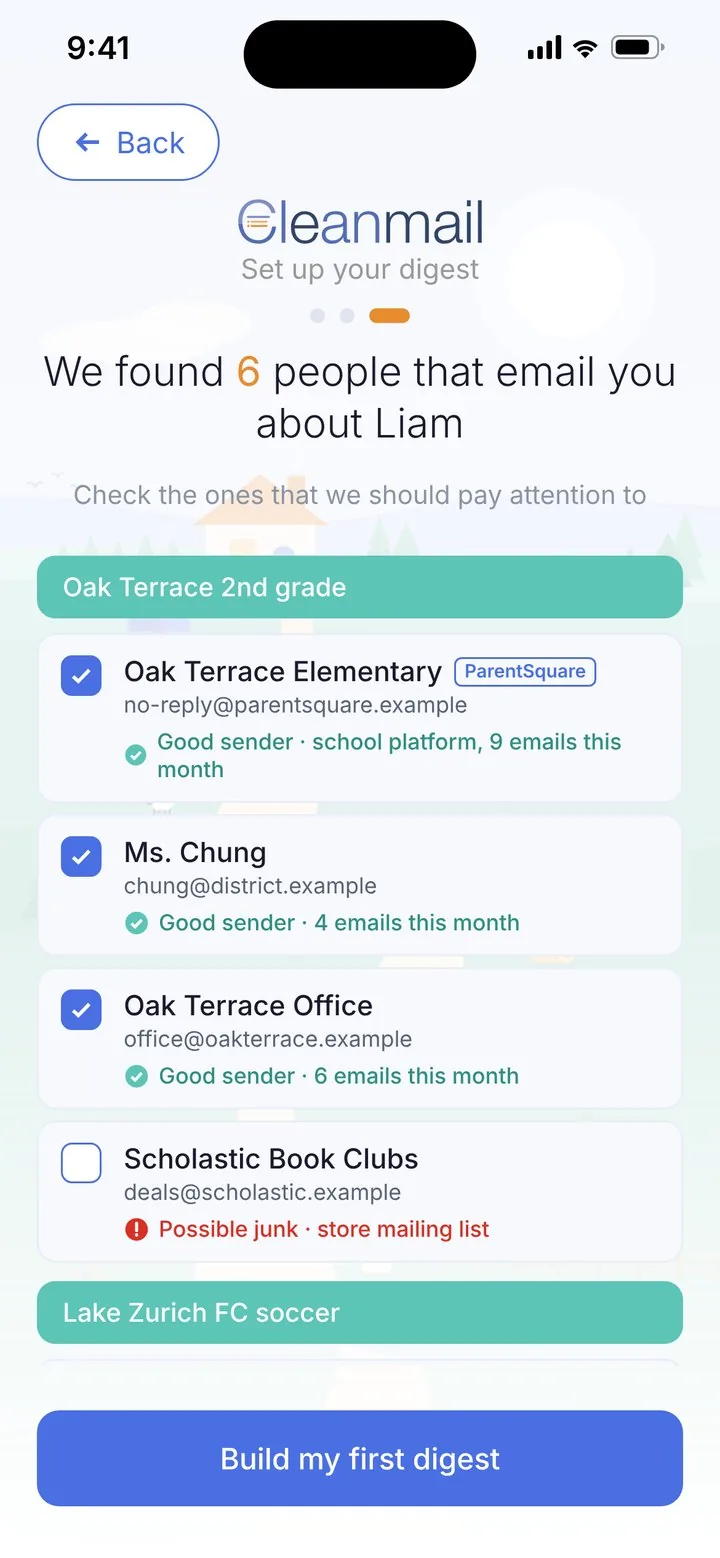
Pick your school and each teacher by name.
Dates on Google Calendar
Two-way sync of the events Cleanmail adds.
Sorted by kid
One short digest for the whole household.
How it works
Turn on email in ParentSquare
In the app: Menu, Account, Notifications. Under Posts, turn on Email Notifications.
Choose Instant
They show up in Cleanmail within minutes of reaching your inbox.
Pick them in Cleanmail
In People setup, under the School activity, search for ParentSquare. Add each school and teacher that messages you.
Try it free for 14 days
14 days free, then $6.99 a month. Renews automatically until you cancel. No pressure: cancel anytime in your phone's settings.
ParentSquare is a trademark of its owner. Cleanmail is not affiliated with ParentSquare.